
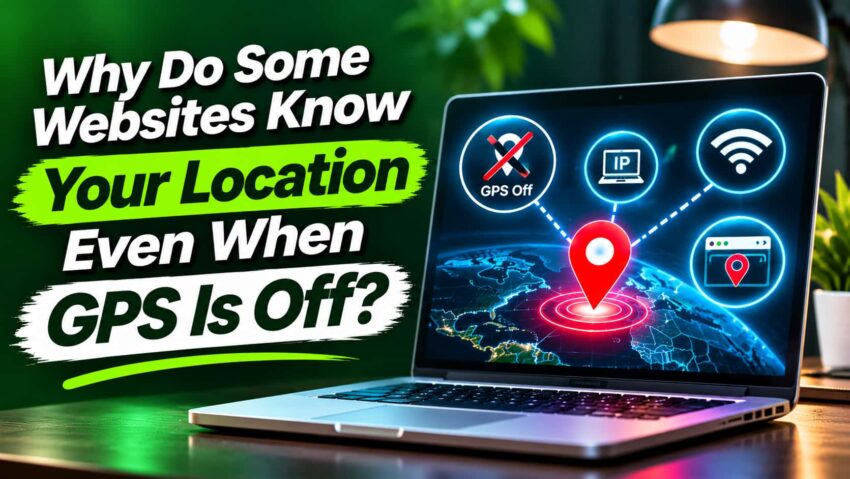
Why Do Websites Know Your Location Even With GPS Off?
Imagine turning off your phone’s GPS because you don’t want websites knowing where you are. A few minutes later, you open a weather website, and it automatically shows the forecast for your city.
Or maybe you’re shopping online, and a website starts recommending stores near your location.
It’s a little strange, right? You turned off GPS, so how does the website still know where you are?
The thing is, GPS isn’t the only way websites can figure out your location.
Your internet connection can reveal clues about where you’re browsing from. Websites may use your IP address to estimate your general location. Wi-Fi networks and browser permissions can also play a role, depending on your device settings.
But how accurate is this information, and how much can websites actually see?
Let’s look at how location tracking works, even when your GPS is turned off.
Why Do Websites Know Your Location When GPS Is Off?
Turning off GPS doesn’t necessarily stop websites from figuring out where you are. That’s because your phone and internet connection can reveal location information in several different ways.
One of the most common methods involves your IP address. Whenever you visit a website, it can usually see your public IP address. This information may help the website estimate your city, state, or general region without needing access to your GPS.
But there’s an important difference between knowing your general area and knowing your exact location.
For example, a shopping website might recognize that you’re browsing from Chicago. However, that doesn’t mean it knows your home address or the street you’re standing on.
More precise location information may come from nearby Wi-Fi networks, cellular signals, or your device’s location services. Websites generally need your permission to access location information provided through your browser.
The accuracy depends on which method is being used.
So, even with GPS turned off, websites can still make educated guesses about your location using information available through your internet connection.
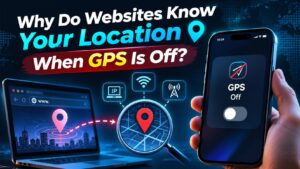
How Do Websites Find Your Location Without GPS?
You might think websites need GPS to know where you’re browsing from. But several other technologies can help them estimate your location, sometimes without you even noticing.
Here are three common ways it happens.
Your IP Address Can Reveal Your General Location
Every device connected to the internet uses an IP address to communicate with websites.
When you visit a website, it can usually see your public IP address. By comparing that address with location databases, the website may estimate your city, state, or country.
For example, a news website might automatically show local headlines based on your estimated location.
However, IP-based location isn’t always accurate. Your internet provider’s network can sometimes make you appear to be in a different city.
Wi-Fi Networks Can Help Estimate Your Location
Your phone can also use nearby Wi-Fi networks to help determine where you are.
Location services may compare information about nearby Wi-Fi access points with existing location databases.
This can provide a more accurate estimate than your IP address alone, especially in cities with many Wi-Fi networks.
However, websites generally need your permission to receive this device-based location information through your browser.
Browser Location Permissions
Browsers like Chrome, Safari, and Firefox allow websites to request your location. Google’s official guide to managing location settings in Chrome explains how to control which websites can access your location.
You’ve probably seen a pop-up asking whether a website can access your location.
If you allow it, your browser may provide location coordinates based on available device technologies, including Wi-Fi, cellular networks, and GPS.
If you deny the request, the website generally cannot access your location through that browser feature.
However, it may still estimate your general location using your IP address.
How Accurate Is Website Location Tracking?
Have you ever visited a website that correctly identified your city but showed you stores miles away from your actual location?
That’s because location tracking isn’t always as accurate as it seems.
When websites use your IP address to estimate your location, they rely on databases that connect IP addresses to geographic areas.
These databases can sometimes identify your city or region correctly. However, they might also point to a nearby town or even a completely different state.
Your internet provider, mobile network, and VPN connection can all affect these estimates.
Things work differently when a website receives location information from your device.
With your permission, a browser may use GPS, nearby Wi-Fi networks, and cellular signals to provide a more precise location.
For example, a maps website might identify your location within a few feet under favorable conditions, while an online store using your IP address might only recognize your general area.
Even precise location services aren’t perfect. Buildings, weak signals, and limited network information can affect accuracy.
So, a website knowing your city doesn’t necessarily mean it knows your exact location.
Can Websites Track Your Location Without Permission?
Yes, websites can sometimes estimate your location without asking for permission. However, there’s a difference between estimating your general area and accessing your device’s more precise location.
Here’s how it works.
What Websites Can Learn From Your IP Address
Whenever you visit a website, its server normally receives your public IP address.
Websites can compare this address with geographic databases to estimate where you’re connecting from.
For example, an online store might recognize that you’re visiting from California and automatically display nearby shipping options.
This doesn’t require GPS access or a browser location permission request.
However, an IP address usually provides only an approximate location. It doesn’t automatically reveal your home address or exact whereabouts.
What Happens When You Deny Location Access?
When a website asks to access your location through Chrome, Safari, or Firefox, you can choose to allow or deny the request.
If you deny it, the website generally cannot receive your device’s location coordinates through that browser feature.
But denying permission doesn’t make your location completely invisible.
The website may still estimate your region using your IP address. It might also use location details you’ve previously shared, such as a saved delivery address.
The key distinction is that different tracking methods require different permissions.
Blocking precise location access protects one source of information, but it doesn’t prevent every form of location tracking.
Why Does Google Know Your Location When GPS Is Off?
Have you ever searched for “restaurants near me” on Google and received results from your city, even though your GPS was turned off?
That’s because Google doesn’t always need GPS to figure out your general location.
Google Search and IP-Based Location
When you use Google Search, your internet connection provides information that can help Google estimate where you’re browsing from.
Your IP address is one of those clues.
For example, if you search for “weather today,” Google might show the forecast for your city based on your approximate location.
The same thing can happen when you search for nearby restaurants, stores, or local businesses.
However, these estimates aren’t always accurate.
Google Account and Location Settings
Your Google account may also contain information that helps Google personalize certain experiences.
For example, saved home and work addresses, previous searches, and other account activity may influence location-related results.
Depending on your settings, Google services may also use location information you’ve previously shared.
You can review relevant controls through your Google account’s privacy settings.
Keep in mind that different Google services may use different location signals. Turning off GPS alone doesn’t necessarily prevent Google Search from estimating your location.
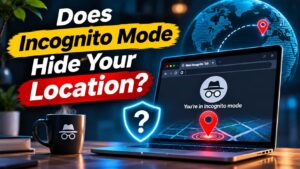
Does Incognito Mode Hide Your Location?
You might assume that opening an Incognito window in Chrome or using Private Browsing in Safari makes your location invisible to websites.
Unfortunately, that’s not how private browsing works.
Incognito Mode mainly helps prevent your browser from saving certain information on your device, such as browsing history and cookies from your private session after you close it.
However, it doesn’t automatically hide your IP address.
Websites can still see the public IP address used for your connection and may use it to estimate your city, state, or general region.
For example, if you open a weather website in Incognito Mode, it might still display your local forecast without asking for GPS access.
Websites can also request your location through browser permissions, even during private browsing sessions.
So, while Incognito Mode offers some privacy benefits, it doesn’t make you anonymous or completely hide your location online.
For stronger location privacy, you’ll need additional tools and settings beyond private browsing.
How to Stop Websites From Tracking Your Location
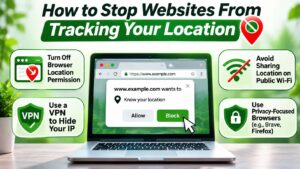
You don’t have to stop using your favorite websites to protect your location privacy. A few changes to your browser, phone, and account settings can help limit how much location information you share.
Here are five practical steps you can take.
Turn Off Unnecessary Browser Location Permissions
Start by checking which websites can access your location.
In Chrome, open Settings → Privacy and Security → Site Settings → Location.
Firefox and Safari also offer location permission controls in their settings.
Remove access from websites that don’t need to know where you are. You can always allow it again when necessary.
Review Location Settings on Your Phone
Both iPhone and Android let you control location access.
On an iPhone, go to Settings → Privacy & Security → Location Services.
On Android, open Settings → Location → App Location Permissions. Menu names may vary.
Review which apps can access your location and change permissions where appropriate.
Use a VPN or Tor Browser When Appropriate
A VPN can hide your public IP address from websites by routing your connection through another server.
Tor Browser works differently. It routes your browsing traffic through multiple relays, making it harder for websites to identify your original IP address. You can learn more about the technology and its privacy protections through the Tor Project’s official documentation.
However, neither option guarantees complete anonymity. Websites may still learn your location if you share it, grant location access, or sign into accounts containing location information.
For people who need additional privacy, such as reporters protecting confidential sources, Tor can be particularly useful. Our guide to why journalists and whistleblowers use Tor explains how it helps protect their identities and where its limitations begin.
Limit Location Sharing in Your Apps
Some apps request precise location access even when they don’t need it.
When available, choose approximate location instead.
You should also restrict background location access for apps that only need your location while you’re using them.
For example, a weather app may not need continuous access to your location throughout the day.
And remember, location privacy isn’t just about app permissions. Even the pictures you share online can reveal where you’ve been. Our article on whether someone can track you through a photo explains how GPS metadata, recognizable landmarks, and other details can expose your location.
Check Your Google Account Privacy Settings
Your Google account may store activity and location-related information, depending on your settings.
Visit myaccount.google.com and open Data & Privacy.
Review settings such as Timeline, Web & App Activity, and personalized advertising where available. Google’s guide to managing your Timeline data explains how to review, control, and delete saved location history.
You can also review or delete certain saved activity.
Remember, no single privacy setting can completely prevent location tracking. However, combining these steps can reduce unnecessary data collection and give you more control over your information.
Frequently Asked Questions
Can a Website Know My Exact Location From My IP Address?
Usually, no. Your IP address can help websites estimate your city, state, or region, but it generally doesn’t reveal your exact street address. However, websites may obtain more precise location information through other methods.
Can Someone Track My Location If GPS Is Off?
Yes, turning off GPS doesn’t eliminate every form of location tracking. Websites may estimate your location through your IP address, while apps and device services may use Wi-Fi, cellular networks, or previously shared information.
Does a VPN Hide My Location From Websites?
A VPN can hide your original public IP address and replace it with the VPN server’s IP address. However, websites may still learn your location through browser permissions, account information, or details you share.
Can Websites See My Location in Incognito Mode?
Yes. Incognito Mode doesn’t automatically hide your IP address or prevent websites from estimating your general location. It mainly limits certain browsing information saved on your device after your private session ends.
Your GPS Is Off, but Your Location May Still Be Visible
Turning off GPS is a good start, but it doesn’t mean websites can no longer figure out where you are.
Your IP address can still reveal your general location, while Wi-Fi networks and other device technologies may help provide more accurate estimates. Websites can also request more precise location information through your browser.
The good news is that you have some control over what you share.
Review your browser permissions, check your phone’s location settings, and limit unnecessary access to personal information.
Remember, privacy tools have limitations. But a few simple changes can make your location harder to track online.